Connect a provider plan
Authorize a Claude or ChatGPT subscription so Gateway can route your organization’s requests through it.
Open the provider picker
In Gateway, open Providers, select Add provider, then choose Claude or ChatGPT.
Open Providers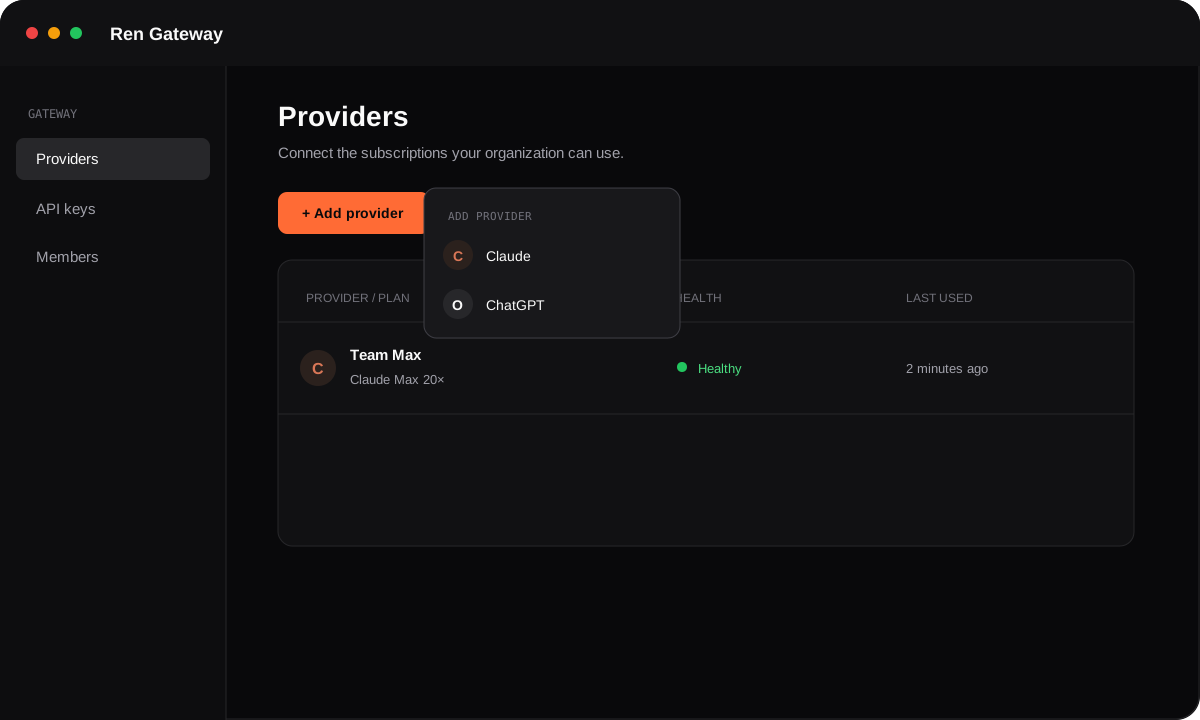
Option A
Connect Claude
- 1. Add an optional label such as
Team Max. - 2. Select Continue with Anthropic and approve access in the tab that opens.
- 3. Copy the complete authorization code, including the
#separator. - 4. Return to Gateway, paste the code, and select Connect.
If Gateway rejects the code, copy it again from Anthropic. A partial code without the #state suffix cannot be used.
Option B
Connect ChatGPT
- 1. Add an optional label such as
Team Pro. - 2. Select Continue with OpenAI.
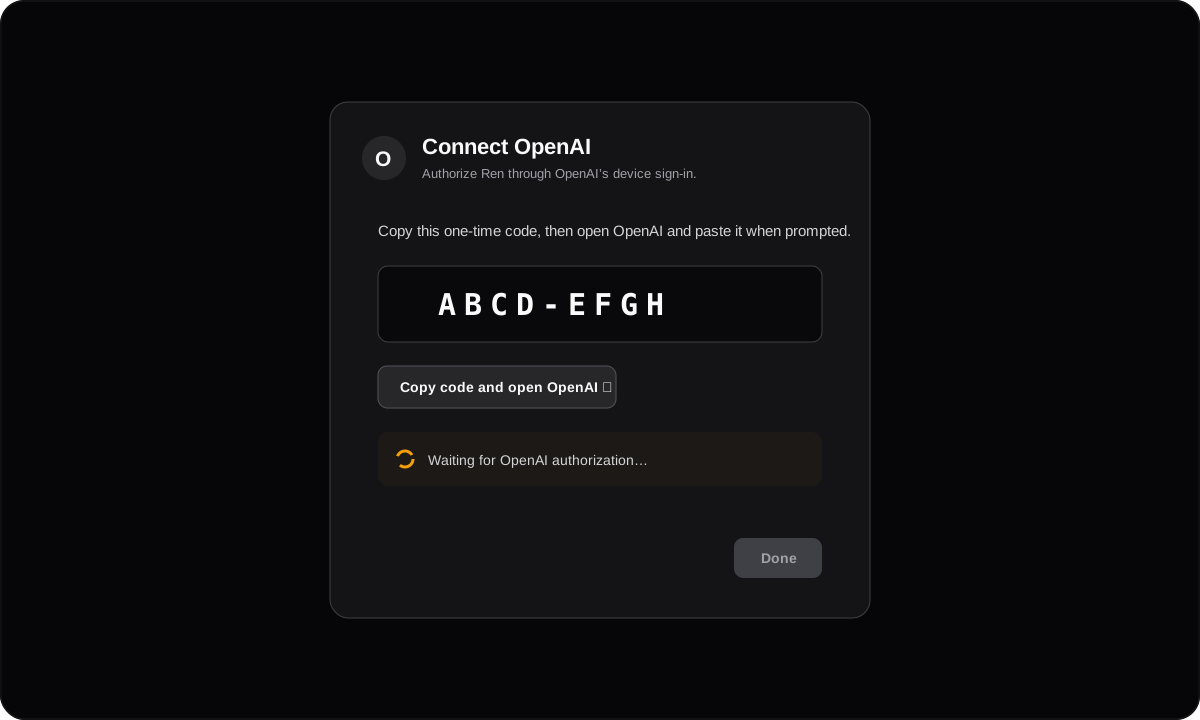
- 3. Copy the one-time device code, then select Copy code and open OpenAI.
- 4. Paste the code into OpenAI and approve access. Gateway detects approval automatically.
Confirm the connection
Return to the Providers table. The new connection should show a green Healthy state.
Usage appears after the first inference request. Next, create a key and test the endpoint.